
Reimagining the Social Event Lifecycle: A Mixed-Methods Approach
What You Doing (WYD) is an intuitive event app that simplifies event discovery, planning, and participation. It tackles common pain points like scattered information, chaotic group coordination, and impersonal recommendations, transforming event planning into a seamless and enjoyable experience.
As a UX Designer on the WYD project, my work focused on creating a user-friendly app prototype with a cohesive design system, personalized recommendations, and seamless group planning features to enhance the event experience from start to finish.
Event planning is overwhelming by default.
Planning and participating in events can be overwhelming due to disorganized information, lack of personalization, and inefficient tools. WYD aims to provide a centralized, easy-to-use platform for event discovery and management.
Challenges identified with current event applications:
Behavior and attitude, studied together.
We adopted a mixed-methods strategy to capture both behavioral patterns and attitudinal data. This ensured we did not just understand how users act, but why they feel that way.
Shadowed 10 users (students and professionals) to track natural navigation and engagement habits.
Analyzed 7 major platforms (e.g., Eventbrite, Meetup) to benchmark industry standards and identify feature gaps.
Conducted 5 deep-dive sessions to explore personal frustrations with event coordination.
Gathered data from 48 respondents to validate our qualitative findings at scale.
Finding events works. Coordinating them breaks.
Our research revealed that while users can find events, the experience breaks down during coordination and social sharing.

Users feel overwhelmed by irrelevant suggestions. 65% explicitly requested better personalization.
Group planning is chaotic, forcing users off-platform (e.g., to WhatsApp). 70% found coordinating with friends difficult.
There is a strong desire for social proof. 80% of users wanted a feature to showcase their event history on their profiles.
Competitors excel at centralized discovery but fail to offer robust group planning tools or personalized recommendations.
Validated, not guessed.
We did not just guess the solution; we validated it. Using low-fidelity and high-fidelity prototypes, we conducted usability testing with 10 users focused on three core tasks: Discovery, Creation, and Profiling. Based on testing metrics, we made the following critical refinements:
Three answers to three needs.
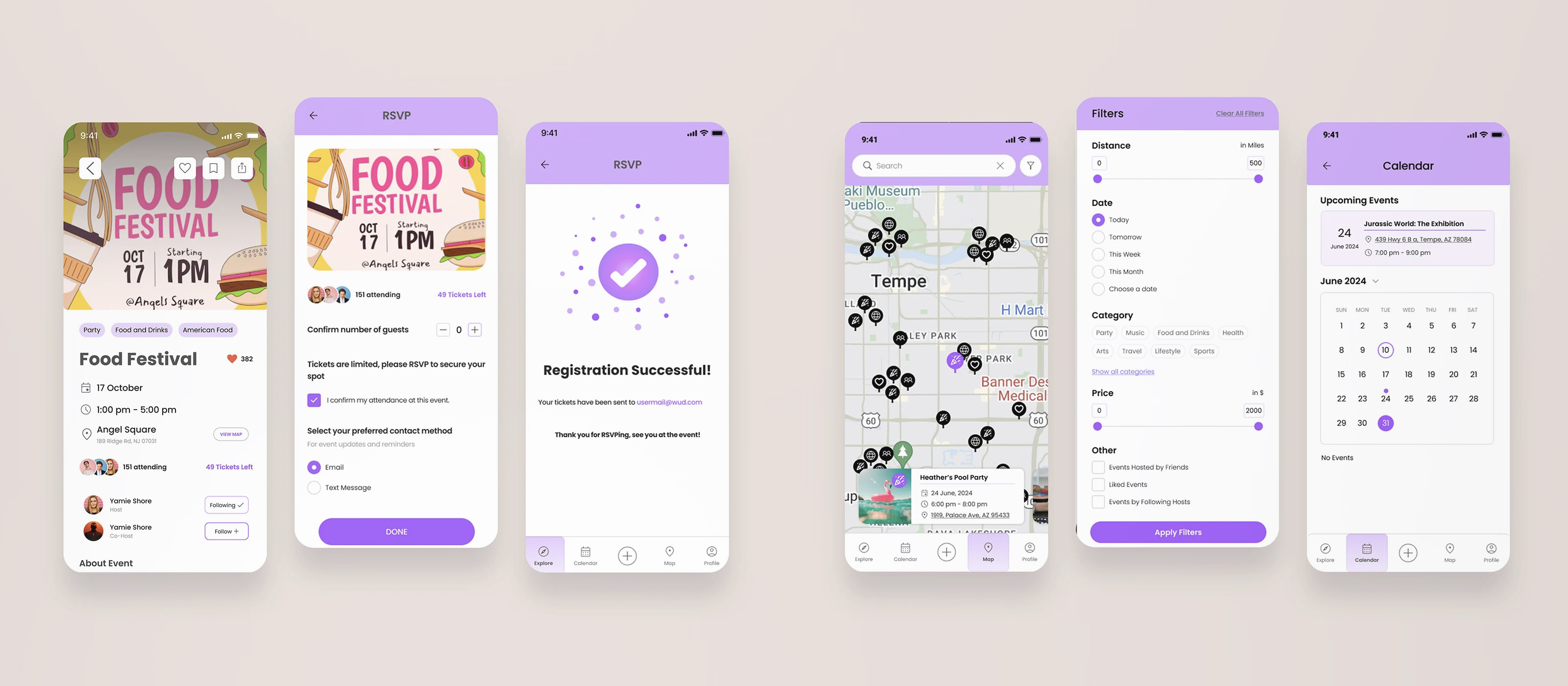
Personalized discovery to combat clutter. Our research indicated that users feel overwhelmed by irrelevant event suggestions and desire better personalization. To address this, we implemented features that tailor the experience to individual preferences. The Profile Section allows users to specify their interests, ensuring that event recommendations are relevant and personalized. The Map Search Page enables users to find events using granular filters like distance, date, and category, directly addressing the need to reduce search fatigue. The Calendar Page provides a clear, organized view of upcoming events a user is attending, aiding in efficient planning.
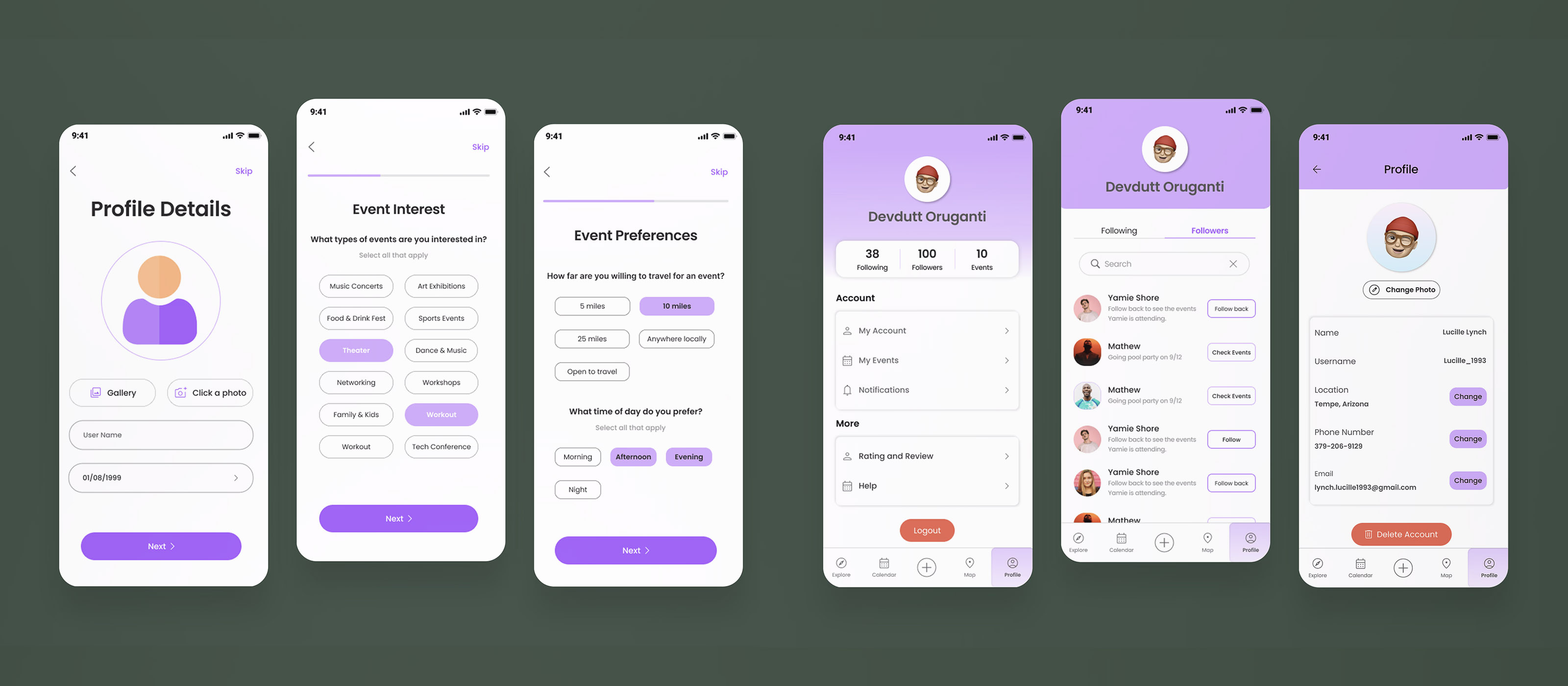
Streamlined social coordination. A major pain point identified was the difficulty of coordinating group planning, which often forces users off-platform. We designed features to keep coordination seamless and within the app. The Event Details page fosters interaction by showcasing the people attending an event, helping users see which of their friends are going. We streamlined the registration process with a clear RSVP flow that includes distinct visual indicators, making it easy to track attendance status.
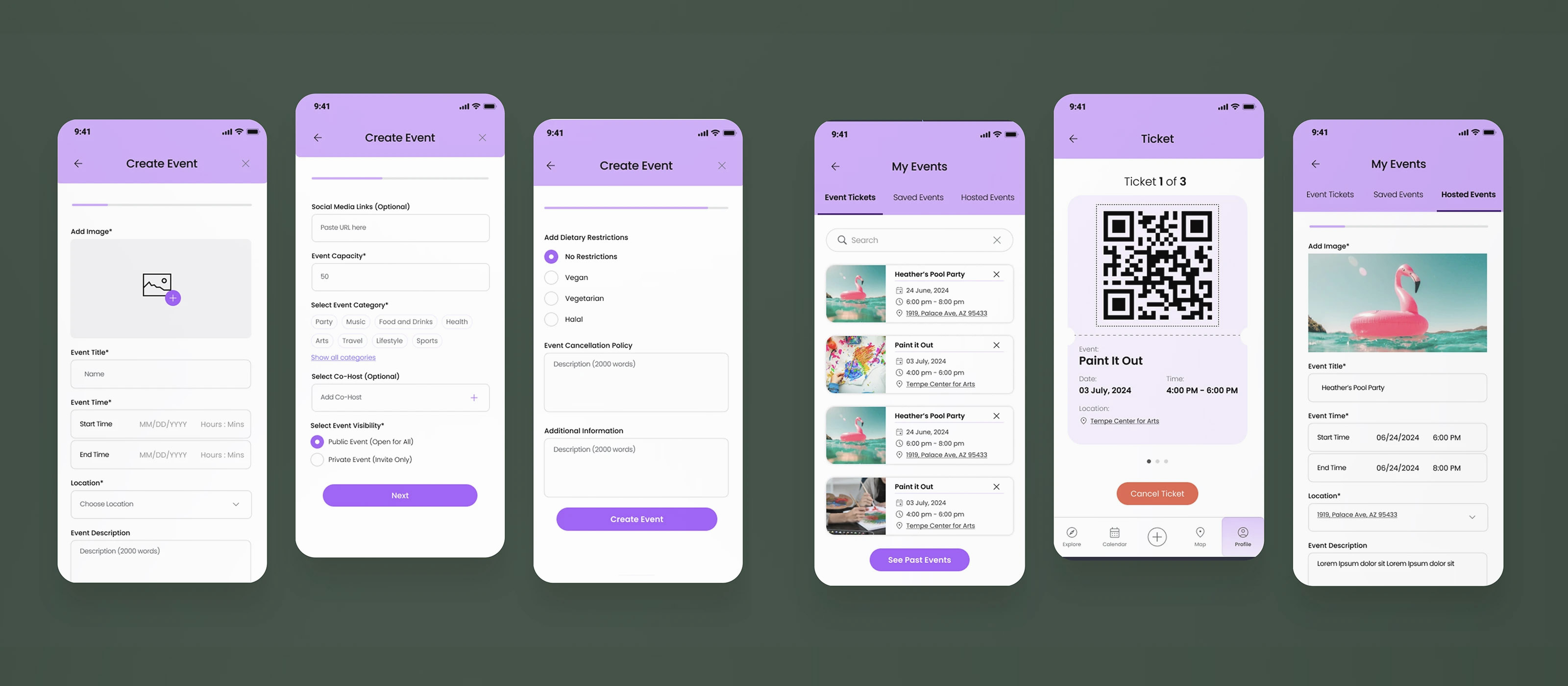
Identity and event management. Users expressed a strong desire for social validation and a way to showcase their event history on their profiles. The Profile Display highlights user details, followers, and following to foster social connections, with expanded customization options such as photo uploads for greater self-expression. The Event Tickets and Management Page displays purchased tickets, social events, and hosted events in one place for easy tracking. For users who want to host, the Event Creation Page simplifies the process with intuitive tools for customization.
Bridging the gap between functionality and sentiment.
As a Product Designer, this project reinforced that solving a functional problem (finding events) is only half the battle; the real challenge lies in solving the emotional one (the anxiety of coordination and the desire for social validation). Initially, I assumed the user's biggest hurdle was simply finding things to do. However, the mixed-methods research challenged this assumption, revealing that 70% of friction occurred after discovery, during the messy coordination phase. This pivot led me to prioritize features that act as social glue, such as the RSVP visibility and profile showcases.